Sunday, 2 June 2013

Code and preview skin

5 Comment(s) so far

Assalamualaikum dan hai semua...
Tadi saya cakap saya nak bagi freebies code dan preview skin kan? haa inilah skinnya tengok bawah nie...

This is how the skin look


Rules :
My first preview skin... hope you'll like it...don't remove the credit ! don't use this skin as a base code! don't copy anything in this skin without proper credit...
Edit this skin as much as you want as long as the credit remains...

How to use this skin?
Firstly make a new preview blog...Then, revert the blog into classic template (at the bottom of template page) Then, copy and paste the code of the skin into the template code box...
Lastly,preview and save...

Do comment if u are using this skin

Okay see you again in my future post insyaAllah...

Make rainbow text

4 Comment(s) so far

Assalamualaikum dan hai semua ! ^^,tadi saya buat template untuk blog preview atau code sekejap lagi saya post skin tuw...masa saya buat skin tuw saya terjumpa benda baru untuk mengedit blog iaitu colourfull text effect with shadow...

Inilah dia rainbow text tuw...lawa kan.. nak buat jugak? follow this tutorial...

Text-Preview


Instruction :
Copy the code that I have give below and paste it anywhere that you want it to appear...you can also add the code into the HTML/Javascript widget...


The-Code

<center><div style="background: transparent; font-family: comic sans MS; font-size: 45px; letter-spacing: 3px; text-shadow: 3px 3px 3px #999999;">
<span style="color: #a3e0ff;">Te</span><span style="color: #ffcccc;">xt</span><span style="color: #b9f0b9;">-P</span><span style="color: #ffcc80;">re</span><span style="color: #e0a3ff;">vi</span><span style="color: #ffc2eb;">ew</span></div></center>

The-Note

-Fucshia : The colour code HERE
-Blue : Your own text
-Red : The font size

....PREVIEW AND SAVE....

Colourfull post isn't it? XD do credit if you use this tutorial...if you want to re-post this tutorial ask for my permission first...ok see you again in my next post....

Thursday, 30 May 2013

Post title hover ( Blogskin )

1 Comment so far

Assalamualaikum dan hai semua...sebelum nie kan saya ada buat tutorial post title hover untuk designer kan...kali nie untuk blogskin pulak...jenisnya sama jer cuma cara jer lain...


Firstly : Blogger.com --> Home --> Template --> Edit HTML

Secondly search using CTRL+F and find your post title code...( all blogskin code are different )
Try searching for    .title-a {     or     .h1 {

Thirdly : Delete the subcodes and the codes that you had search...replace with the code that I give below...

The codes :

.h1 {
font-family: Comic sans MS; font-size: 18px;
color:#FFFFFF; text-align:right;
 margin-top:5px; margin-bottom:10px;
 margin-left:5px; margin-right:5px;
padding:5px; padding-left:15px;
padding-right:15px;
background-color: #FFC2C2; background-image:url(http://i171.photobucket.com/albums/u305/silverobsession/pixels/animals/elephants/elephantliferm5.gif);
background-repeat:no-repeat;
background-size:35px;
background-position:bottom-left;
border-left:20px solid #FFEBEB;
border-right:20px solid #FFEBEB;
border-top:2px dashed #FFEBEB;
border-bottom:2px dashed #FFEBEB;
-webkit-transition: all 1s ease;
 -moz-transition: all 1s ease;
-o-transition: all 1s ease;
}
.h1:hover {
moz-box-shadow: 0 0 4px 3px #FFD6D6;
-webkit-box-shadow: 0 0 4px 3px #FFD6D6;
box-shadow: 0 0 4px 3px #FFD6D6;
transform: rotate(10deg) ;
-webkit-transform: rotate(10deg) ;
-moz-transform: rotate(10deg) ;
-o-transform: rotate(10deg) ;
-ms-transform: rotate(10deg)
}

The notes :

Fucshia : Color code HERE
Blue : Url cute image HERE or HERE
Red : The number of skew effect (the more the number,the more the skew effect)


( Skip this step if your old post title code is   h1 )
Next : Search this code     <blogger>
Then : Replace the code after that for example :

<div class=" loli ">   WITH  <div class=" h1 ">

Repeat this step on every <blogger> code if there is two <blogger> code
Lastly : PREVIEW AND SAVE...
Tak paham ? fell free to ask... :')  any request can be made through my cbox...

Wednesday, 29 May 2013

Post title hover ( Designer )

1 Comment so far

Assalamualaikum dan selamat malam semua...sekarang saya nak buat tutorial post title with hover untuk template designer,denim,simple,minima dan yang seangkatan dengannya...kalau nak tau mcm mane rupanya tengok bawah nie...


Firstly : Blogger.com --> Home --> Template --> Edit HTML

Secondly : Press ctrl + F or F3 and search this code...

.post-title {     or     h3.post-title, .comments h4 {     or     h3.post-title {     or     h3.post-title, h4 {     or     .post h3 {


Thirdly : Delete the subcodes and the codes that you had search...replace with the code that I give below...

The codes :

.post-title {
font-family: Comic sans MS;
font-size: 18px; color:#FFFFFF;
text-align:right;
margin-top:5px; margin-bottom:10px;
margin-left:5px; margin-right:5px;
padding:5px; padding-left:15px;
padding-right:15px; background-color: #FFC2C2;
background-image:url(http://i171.photobucket.com/albums/u305/silverobsession/pixels/animals/elephants/elephantliferm5.gif);
background-repeat:no-repeat;
background-size:35px;
background-position:bottom-left;
border-left:20px solid #FFEBEB;
border-right:20px solid #FFEBEB;
border-top:2px dashed #FFEBEB;
border-bottom:2px dashed #FFEBEB;
-webkit-transition: all 1s ease;
-moz-transition: all 1s ease;
-o-transition: all 1s ease;
}
.post-title:hover {
moz-box-shadow: 0 0 4px 3px #FFD6D6;
-webkit-box-shadow: 0 0 4px 3px #FFD6D6;
box-shadow: 0 0 4px 3px #FFD6D6;
transform: rotate(10deg) ;
-webkit-transform: rotate(10deg) ;
-moz-transform: rotate(10deg) ;
-o-transform: rotate(10deg) ;
-ms-transform: rotate(10deg)
}


The notes :
Fucshia : Color code HERE
Blue : Url cute image HERE or HERE
Red :The number of skew effect  (the more the number,the more the skew effect)

Lastly : PREVIEW AND SAVE...

Tak paham ? tanye jer... :') jangan copy tutorial nie taw...any request can be made through my cbox...

Monday, 27 May 2013

Cute mini icon

32 Comment(s) so far


Hai dan assalamualaikum semua...lama tak update post...post sebelum nie pown dipost dgn selaju yg boleh...sebelum nie saya ada ujian pertengahan tahun sebabtu agak busy sikit...sebelum tuw saya nak ucapkan selamat bercuti kepada budak-budak sekolah yg tengah cuti 2 minggu ...

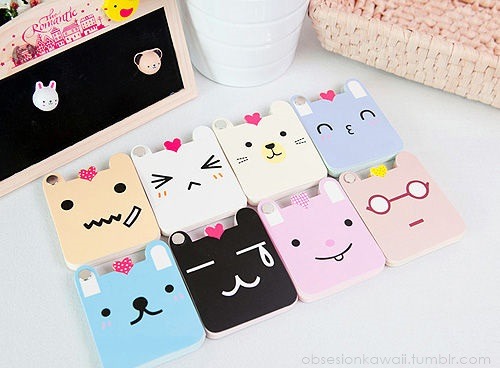
Ok kali nie saya nak bagi freebies mini icon yang saya jumpa dari Tumblr...kalau nak guna amiklah...

THIS IS A WARNING !!
DO NOT RE-POST / RE-FREEBIES

If you want to save the icon :
Right click --> Save image as...

If you want to copy image url :
Right click --> Copy image url / Copy image location

Food icon...


image  image  image  image  image  image  image  
           :35: image image image image image    
                a little cupcake. chocolate icing a little cupcake. vanilla icing a little cupcake. blue icing a little cupcake. strawberry icing     

Animal icon...


image image image         
            

Random


Do comments after you take it...it is illegal to re-post this...ok see you in my future post...
any request can be made through my cbox...Good bye all...!!